Skroutz Marketplace
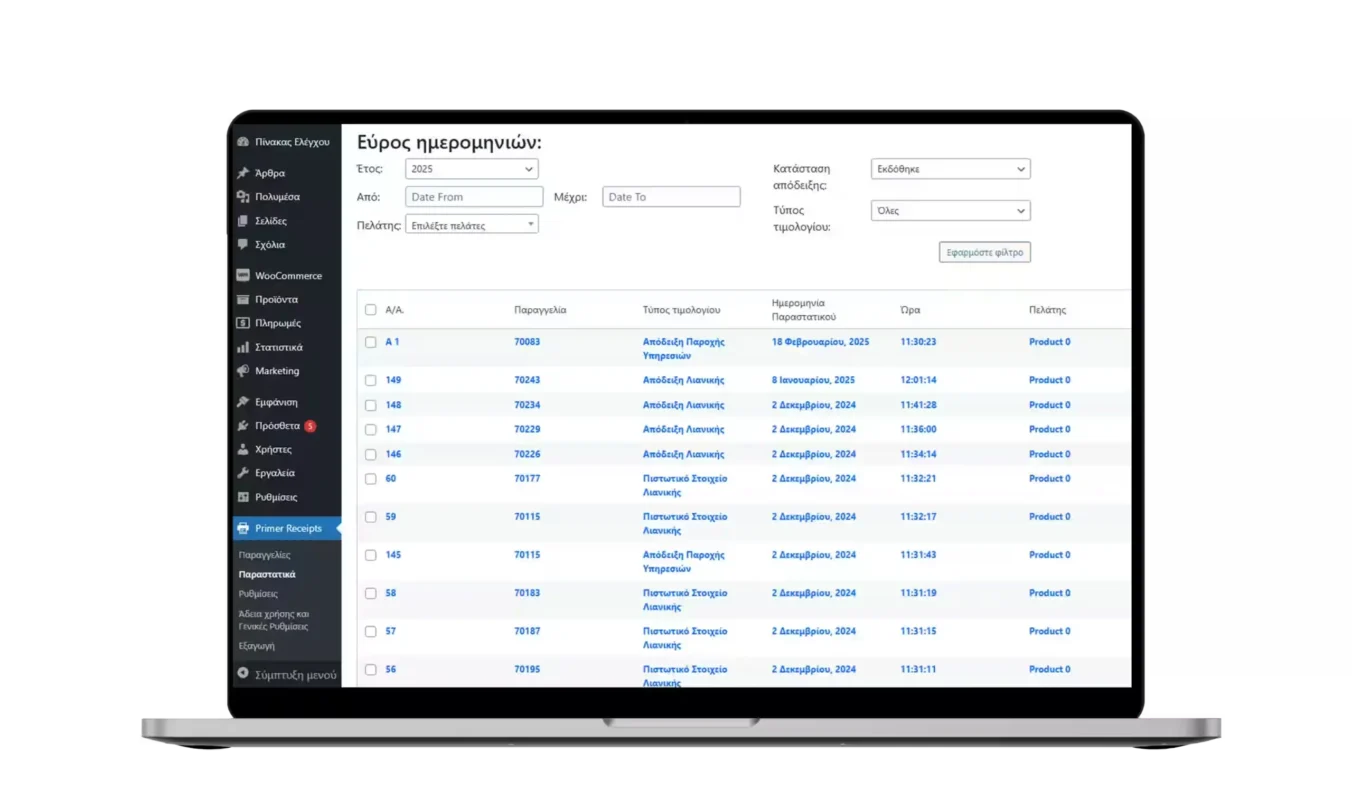
- Automatic conversion of all your orders from Skroutz Marketplace into documents (receipts or invoices) and automatic submission back to Skroutz Marketplace for order completion.
Integration with all software systems
- Do you use your own ERP or CRM? With eCash Register, you can issue receipts and accept card payments through your POS with a single click directly from your ERP or CRM!
Issue receipts without a cash register!
- Issue receipts directly from your POS, without a cash register, without ERP, and without a fiscal mechanism! You will no longer need to close and issue Z reports for your cash register.
Available plans
eTameiaki Skroutz Bundle
Complete digital cash register solution!- Skroutz Marketplace Order Tracking
- Issuing receipts for goods/products as well as services
- Configuration option for up to 20 product categories
- Barcode scanner support
- Automatic conversion of Skroutz Marketplace orders into documents
- Option to issue zero VAT receipts with exemption justification
- Invoice issuance (6,000 documents/year)
- Complete order and inventory management on Skroutz Marketplace (Accept/Cancel Order, Inventory Stock Updates) (Coming soon)
Purchase, Installation and Usage Instructions
Follow the steps below to complete the integration of the eTameiaki application with Skroutz Merchant Marketplace:
Step 1: Access Settings
1. Open the eTameiaki application.
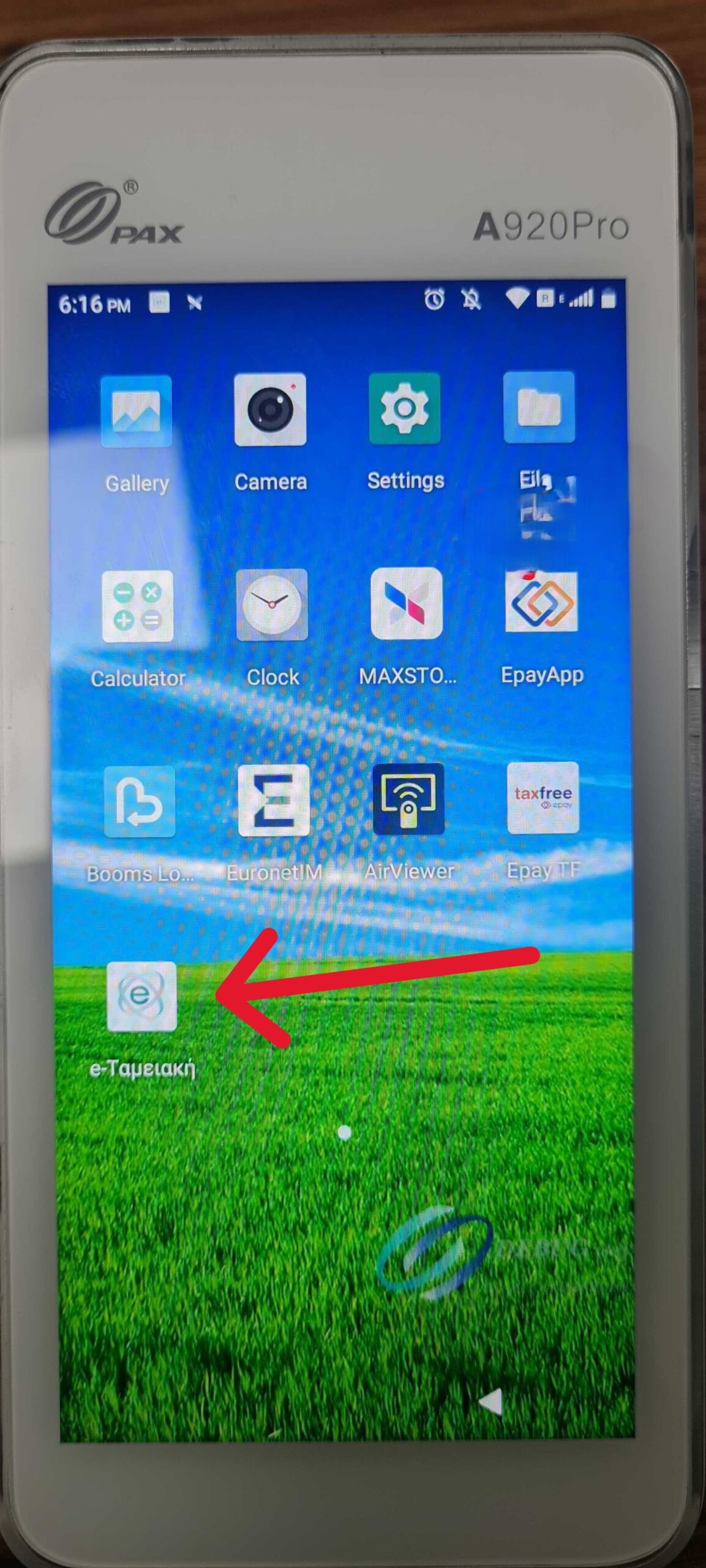
2. Tap the three-line icon in the upper-left corner to open the menu.
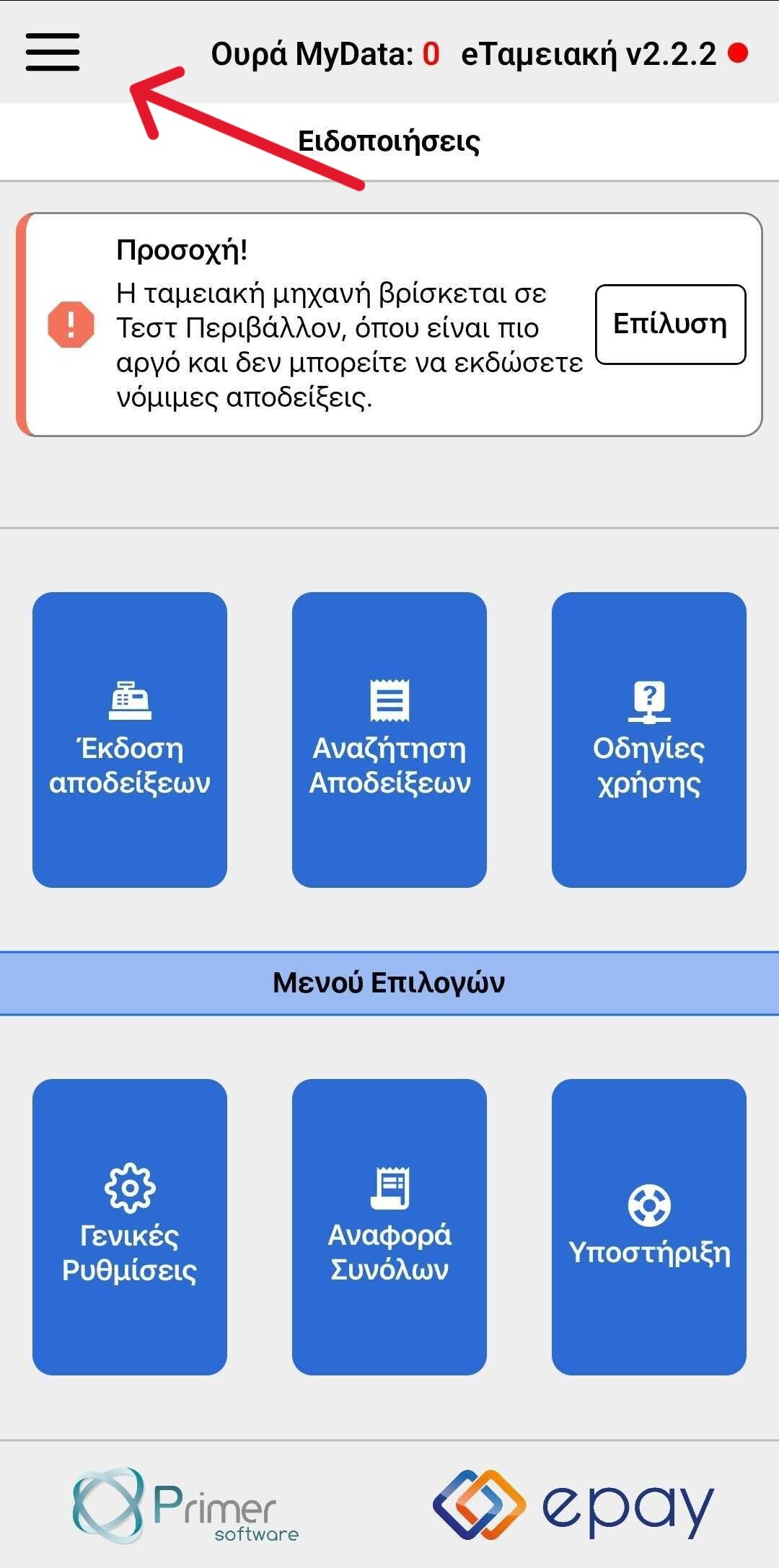
3. Select the General Settings option.
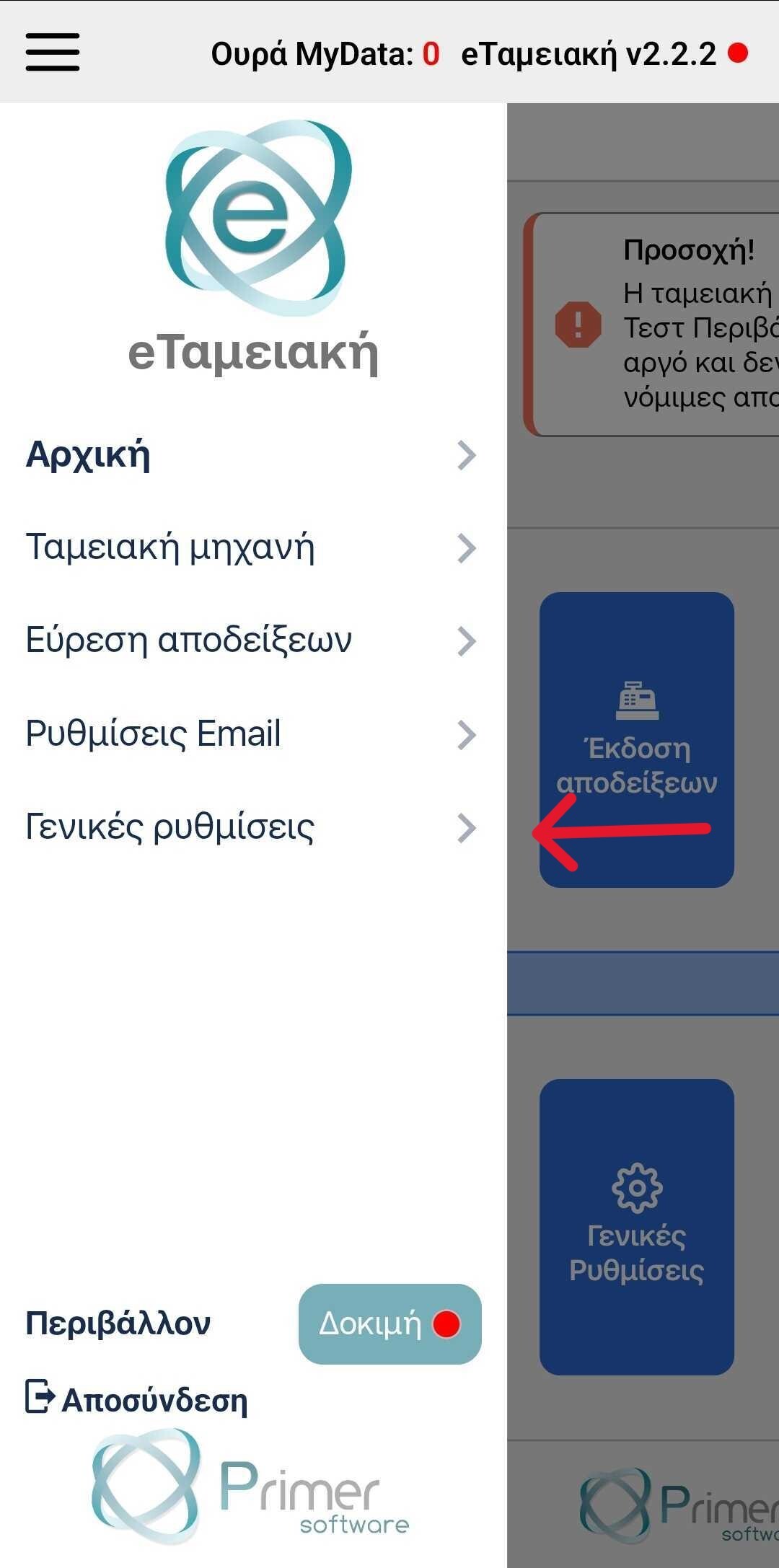
Step 2: Enable Integration
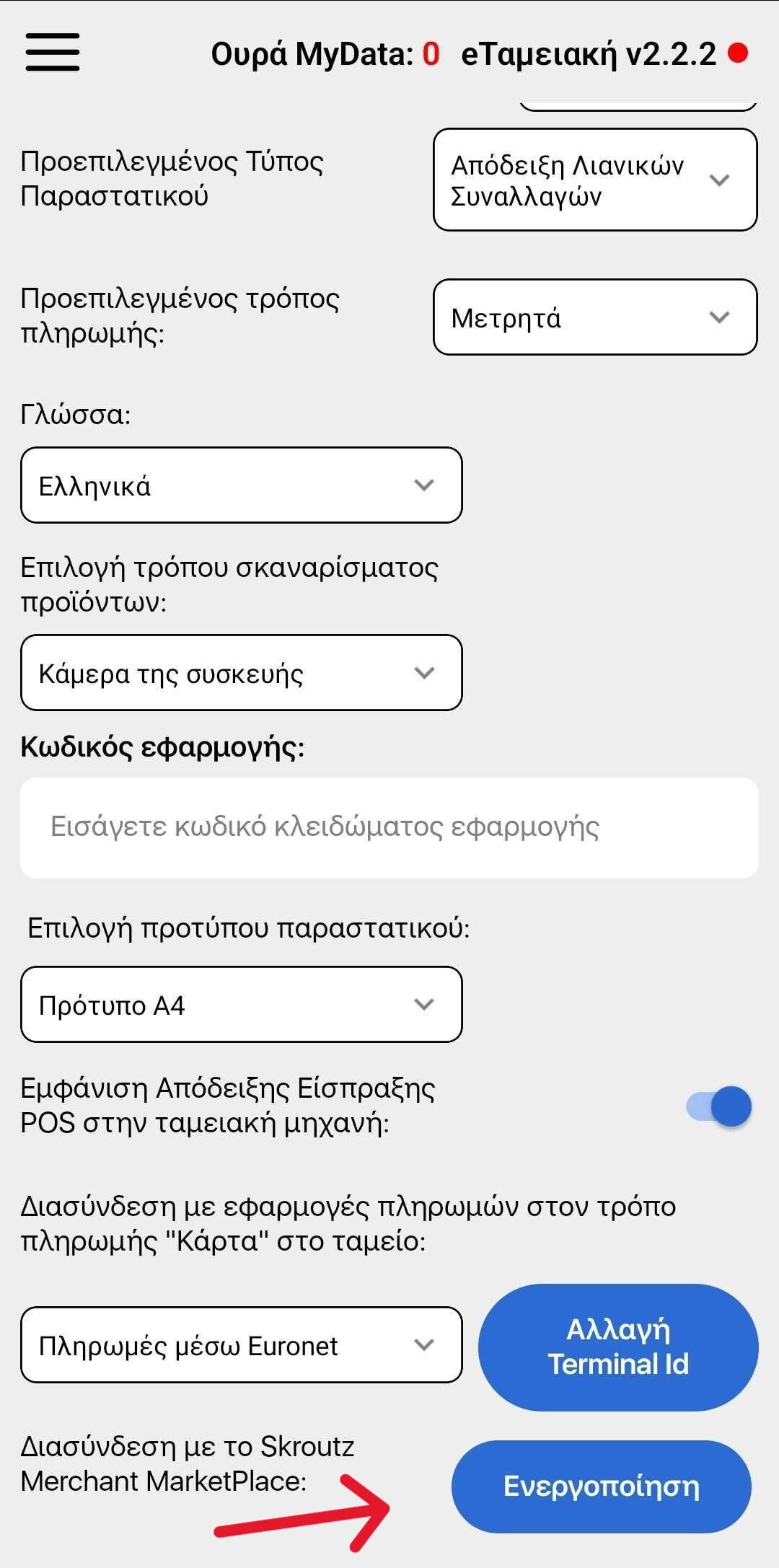
1. On the settings page, scroll down to the bottom.
2. Tap the Enable option.
3. On the next screen, select the green button to continue.
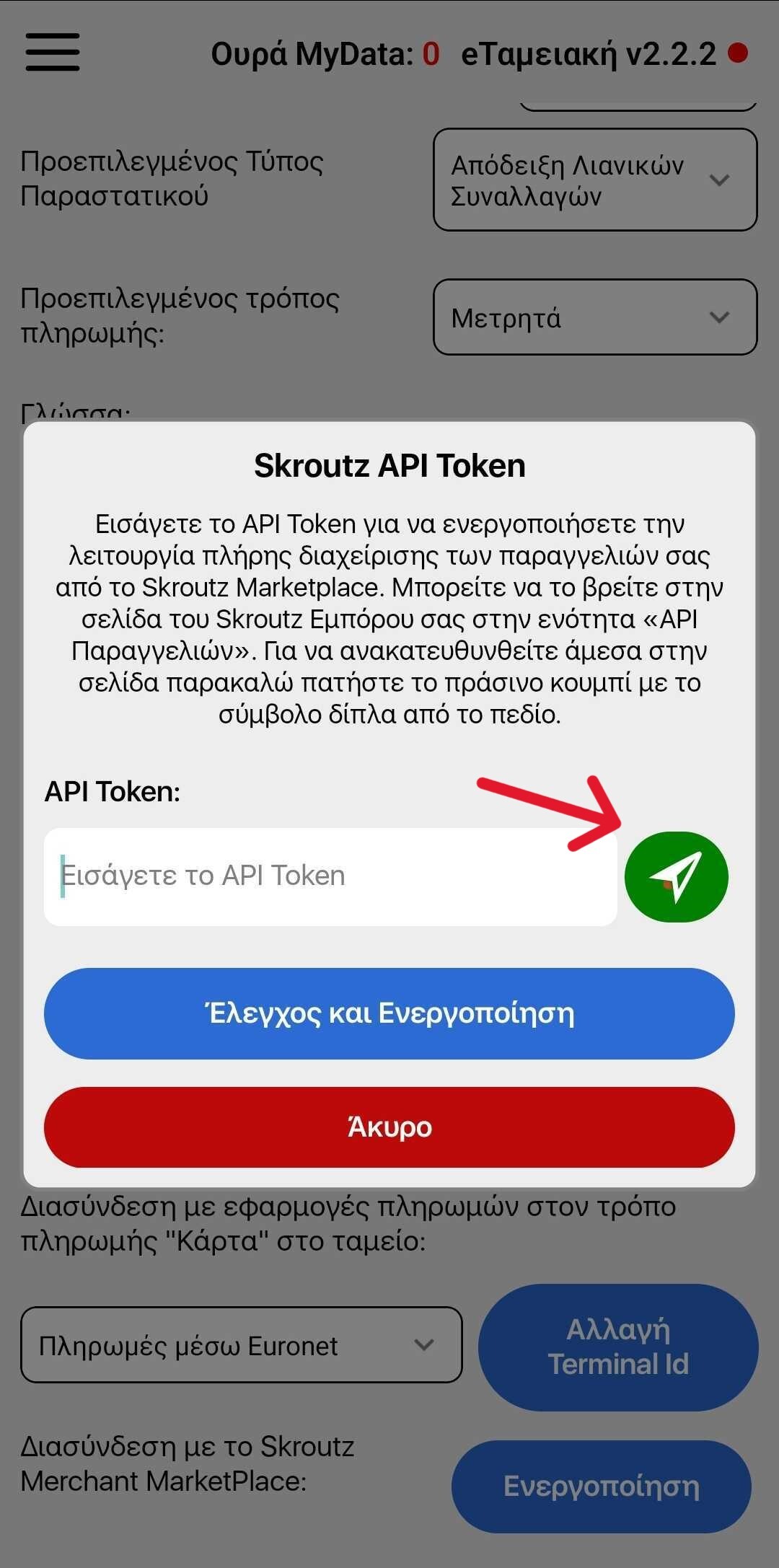
Step 3: Connect with Skroutz Merchant Marketplace
1. You will be redirected to the Skroutz Merchant Marketplace environment.
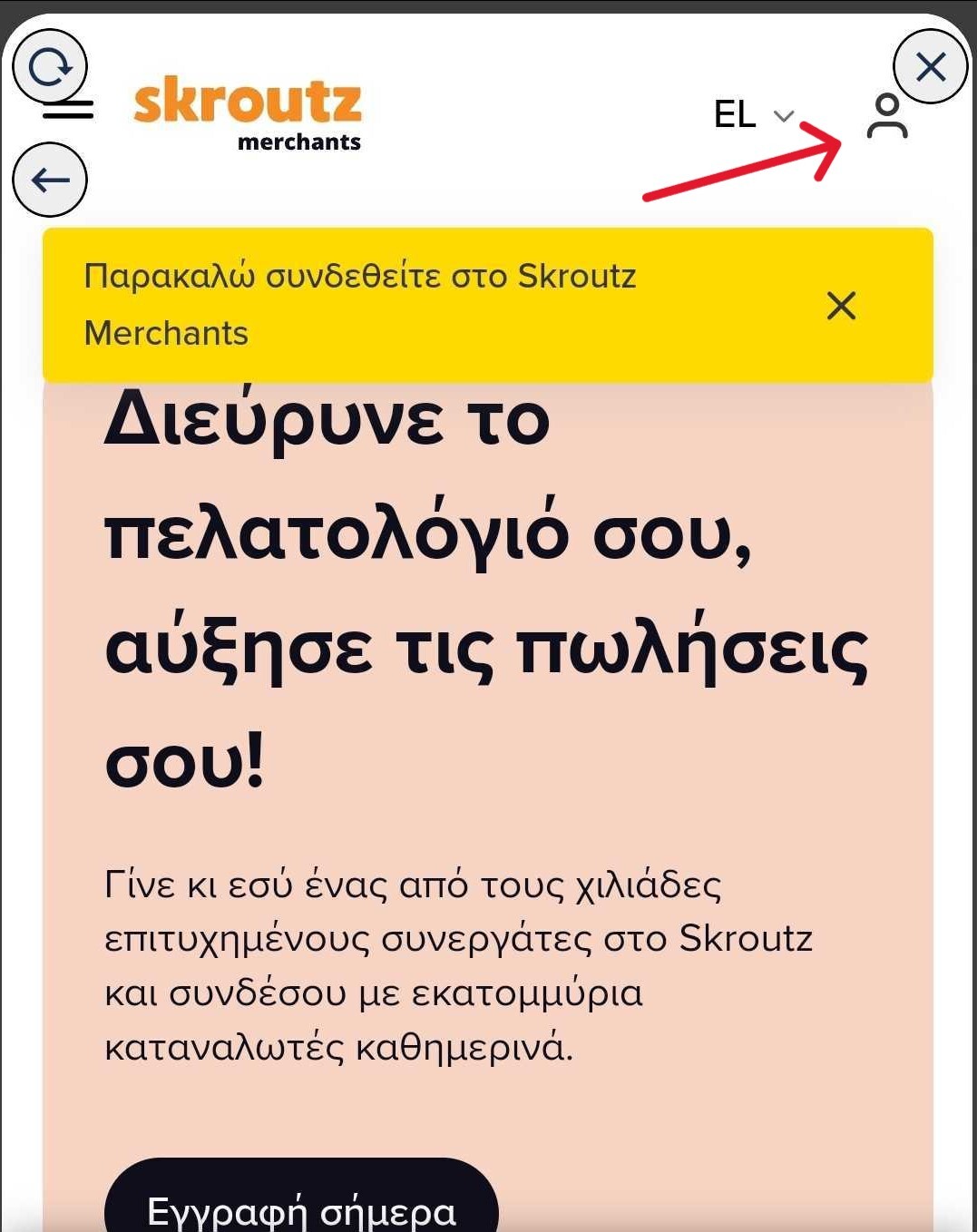
2. Enter your personal login credentials and sign in.
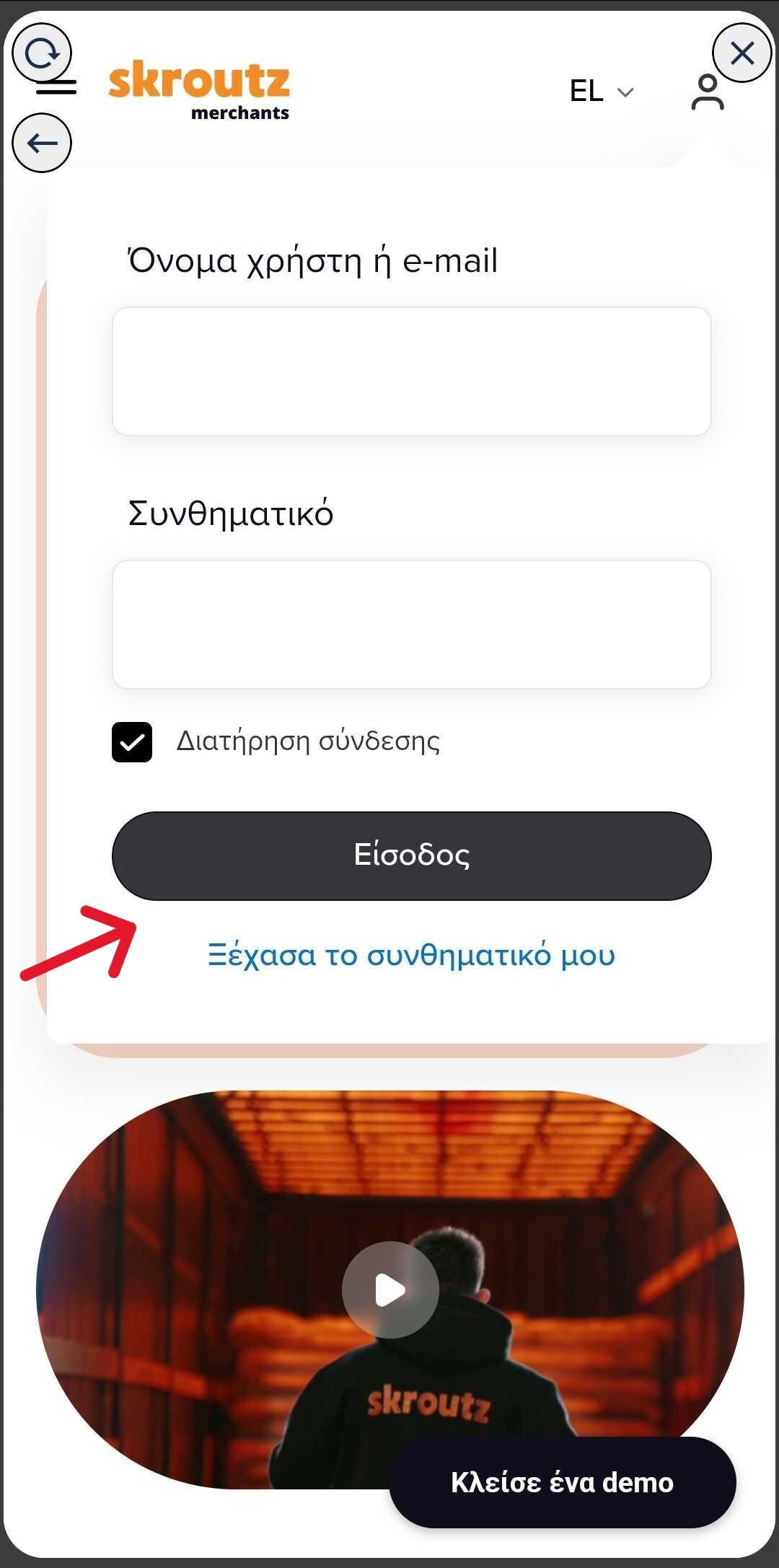
Step 4: Retrieve and Copy the Token
1. After logging in, navigate to the API Token field.
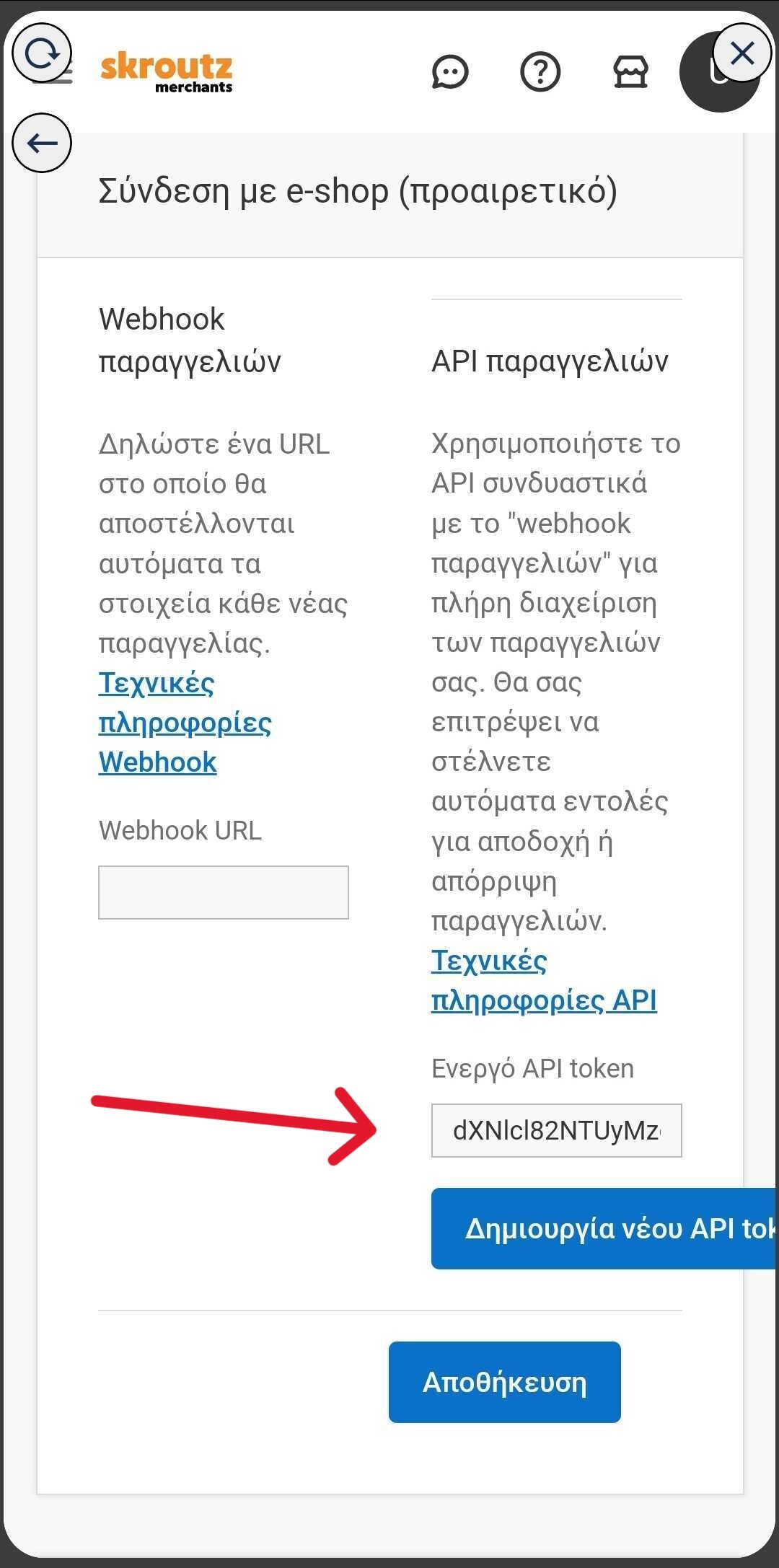
2. Select all the content in the field and click Copy.
3.Return to the eTameiaki application.
Step 5: Paste and Save the Token
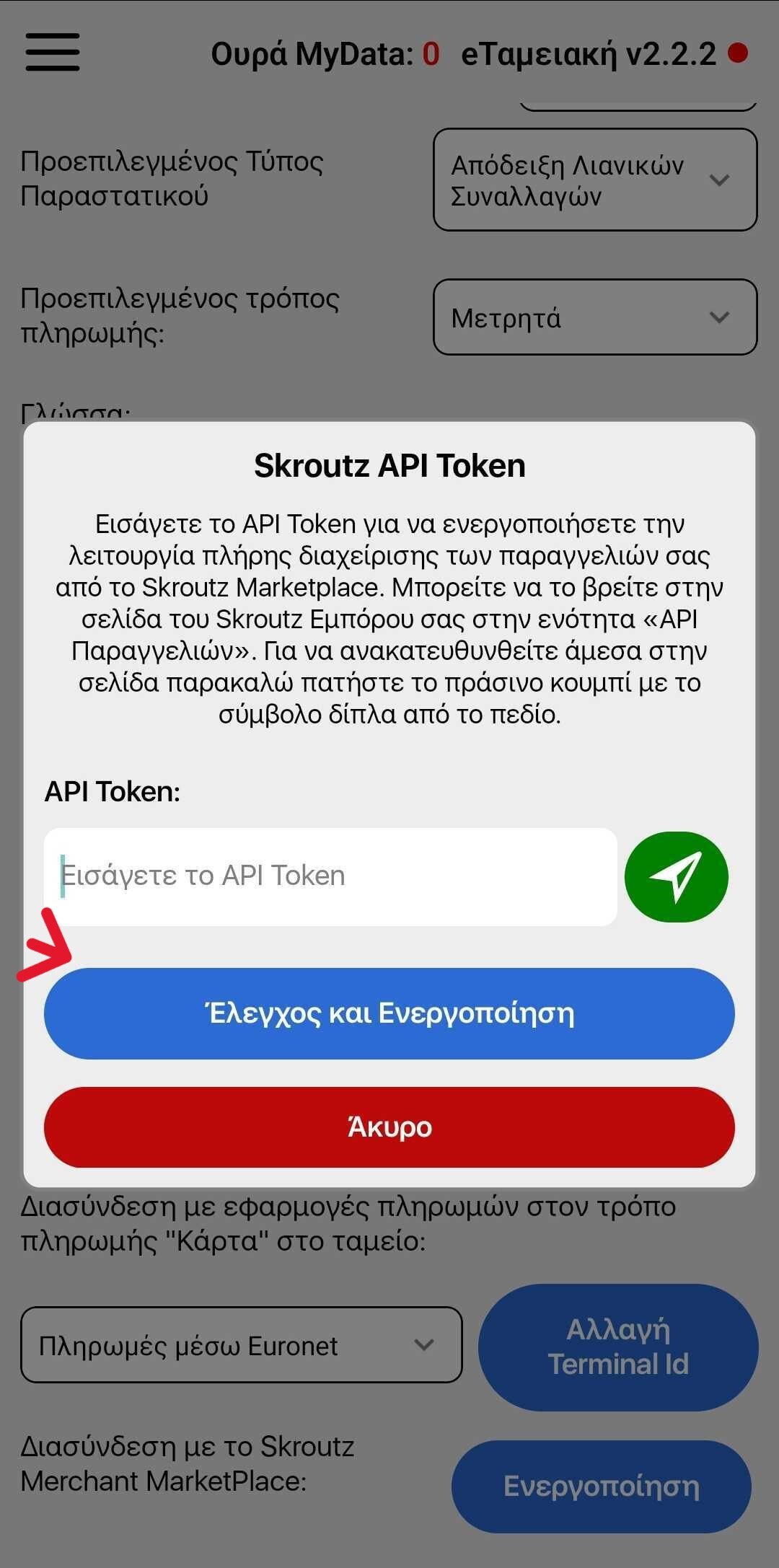
1. In the eTameiki application, paste the Token into the corresponding field.
2. Click Save to complete the process.
Final Step
The connection with Skroutz Merchant Marketplace has been successfully completed! Your application is now ready for use.
If you need any further assistance, our support team is available to help you.
Thank you for choosing eTameiaki!
Step 1: Download the Application
1. If you are using an Android terminal, open the Maxstore application.
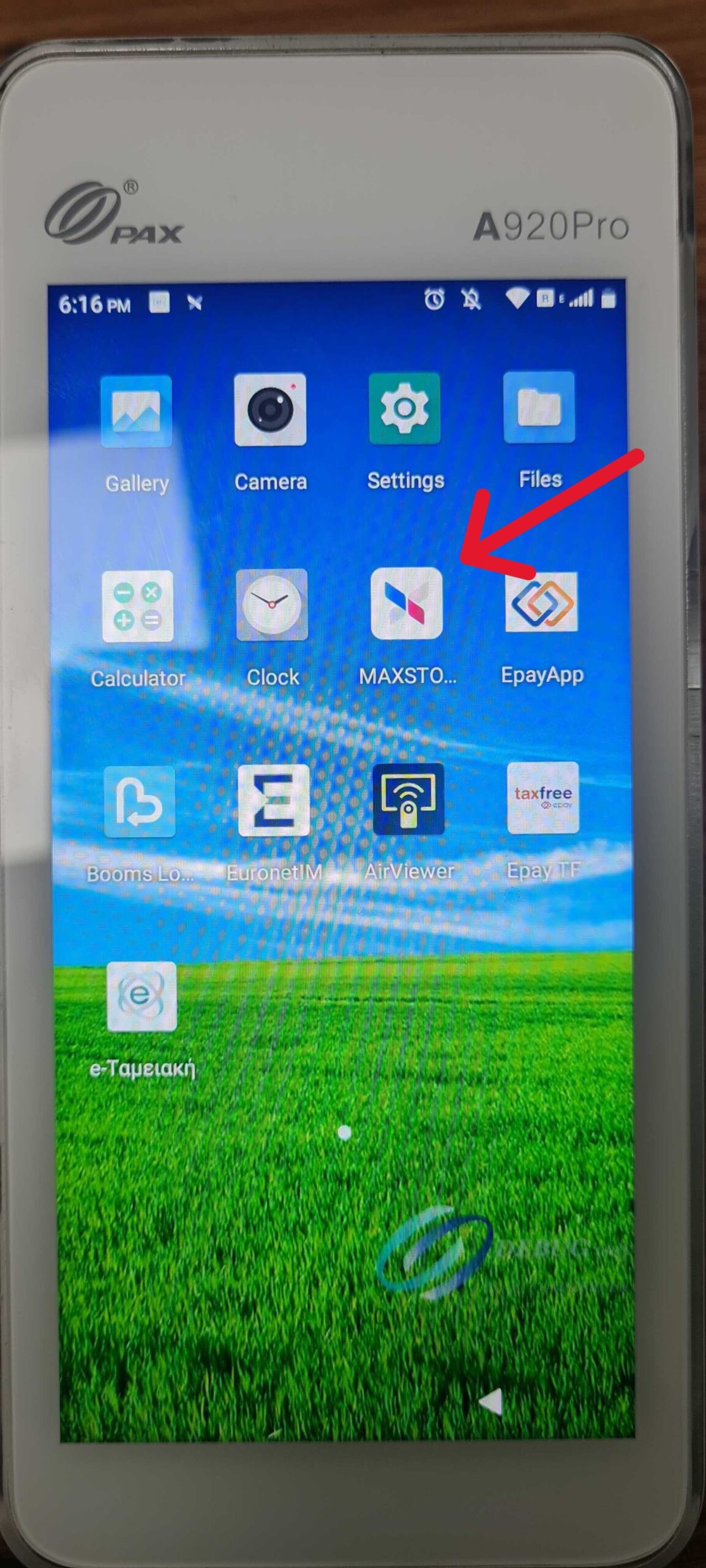
2. If you are using an Android mobile phone, open the Play Store.
3. Search for the eTameiaki application and select Install to download it to your device.
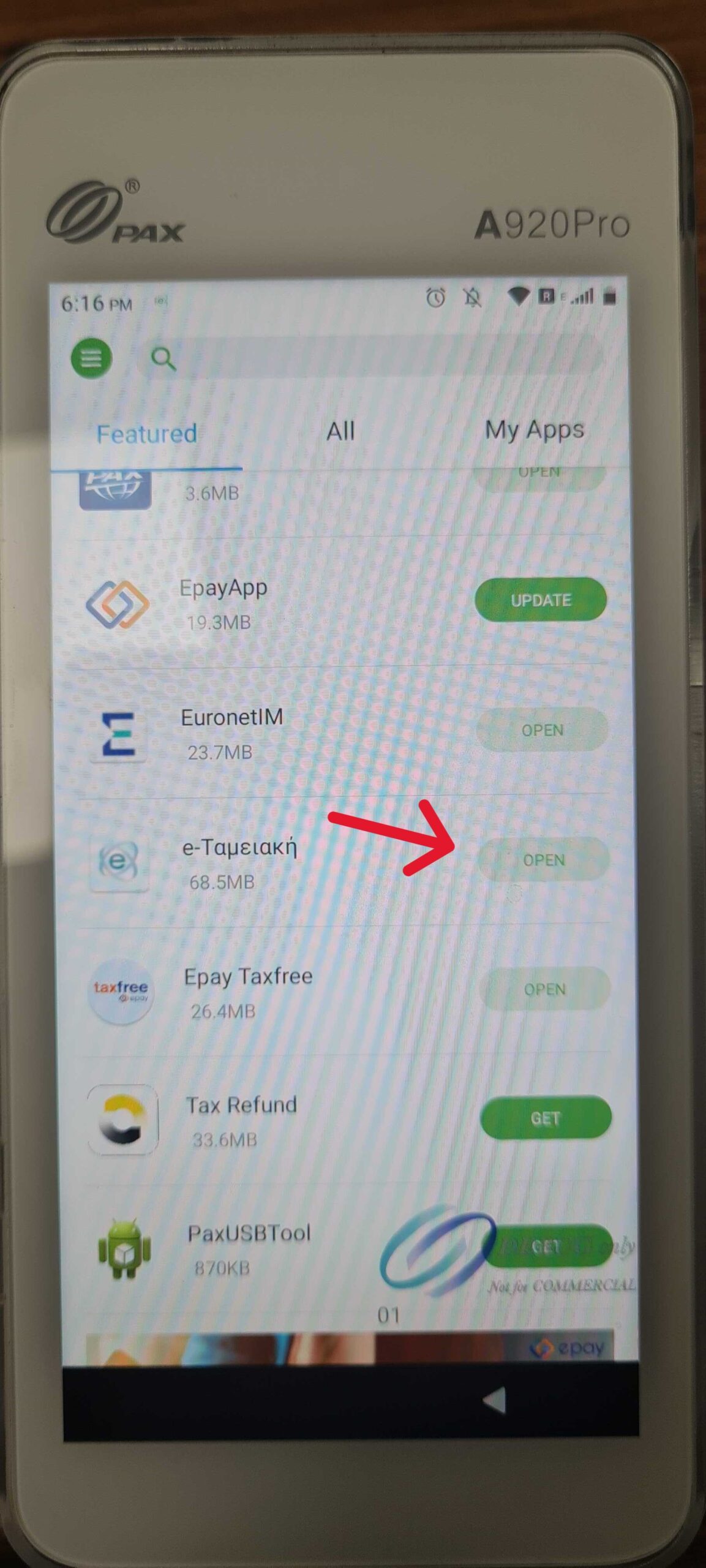
Step 2: Launch the Application and Accept Permissions
1. Open the eTameiaki application.
2. Tap Agree to accept the requested permissions.
Step 3: Purchase the Skroutz Edition
1. Tap the Purchase button.
2. Enter your VAT number (required field).
3. Select the eTameiaki Business Skroutz Edition package from the list.
Step 4: Create User Account
1. Enter your user details: Email, Phone number
2. Select the I am not a robot option and tap Continue.
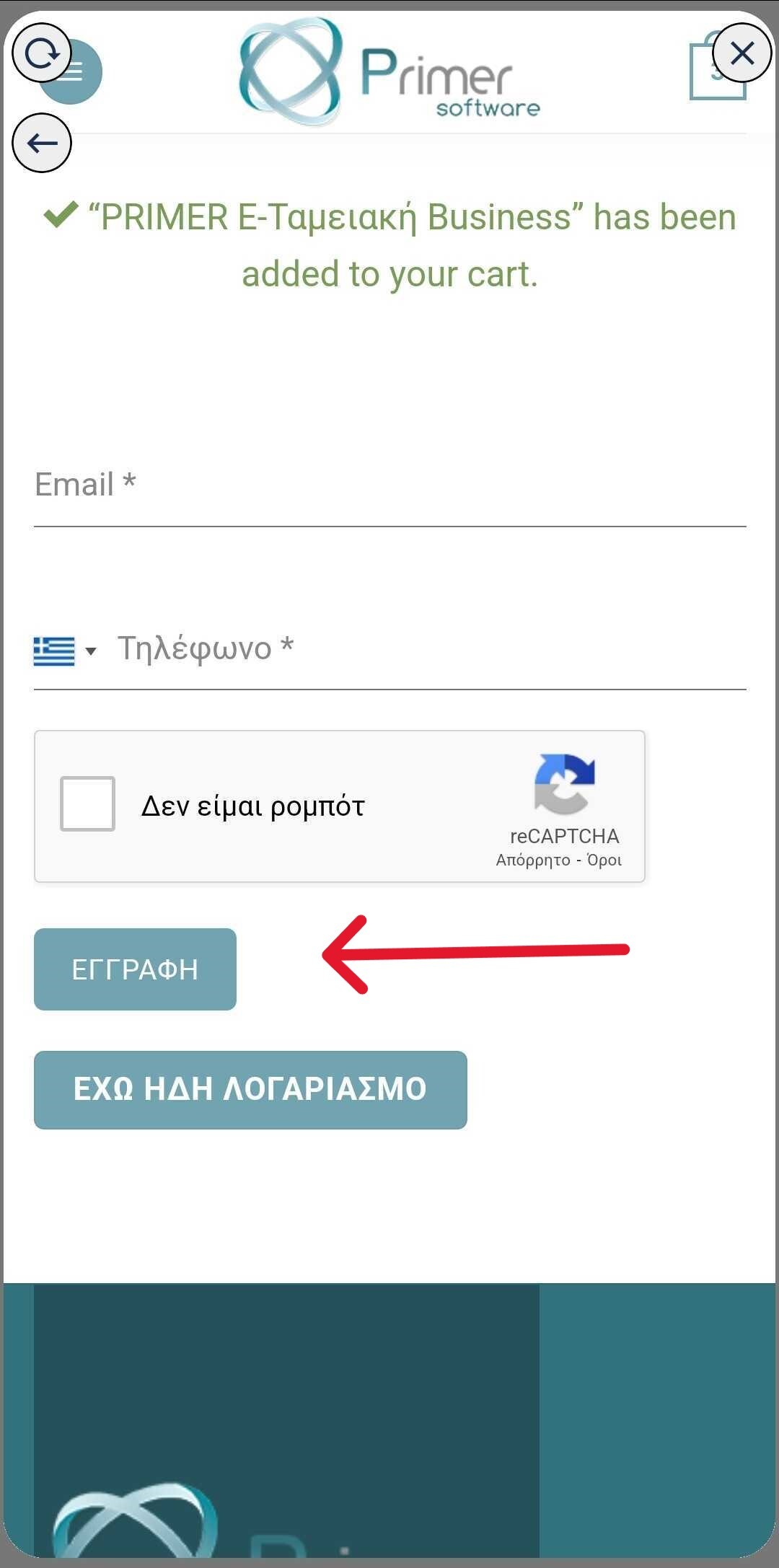
3. Verify that your billing information is correct.
4. Tap I Accept and Agree to the Terms and select Purchase.
Step 5: Payment
1. The application will redirect you to a secure payment environment.
2. Enter your card details and tap Pay.
3. Wait a few seconds and tap Return to Application.
Step 6: Activate the Application
1. Make sure your VAT number is correct and tap Check VAT Number.
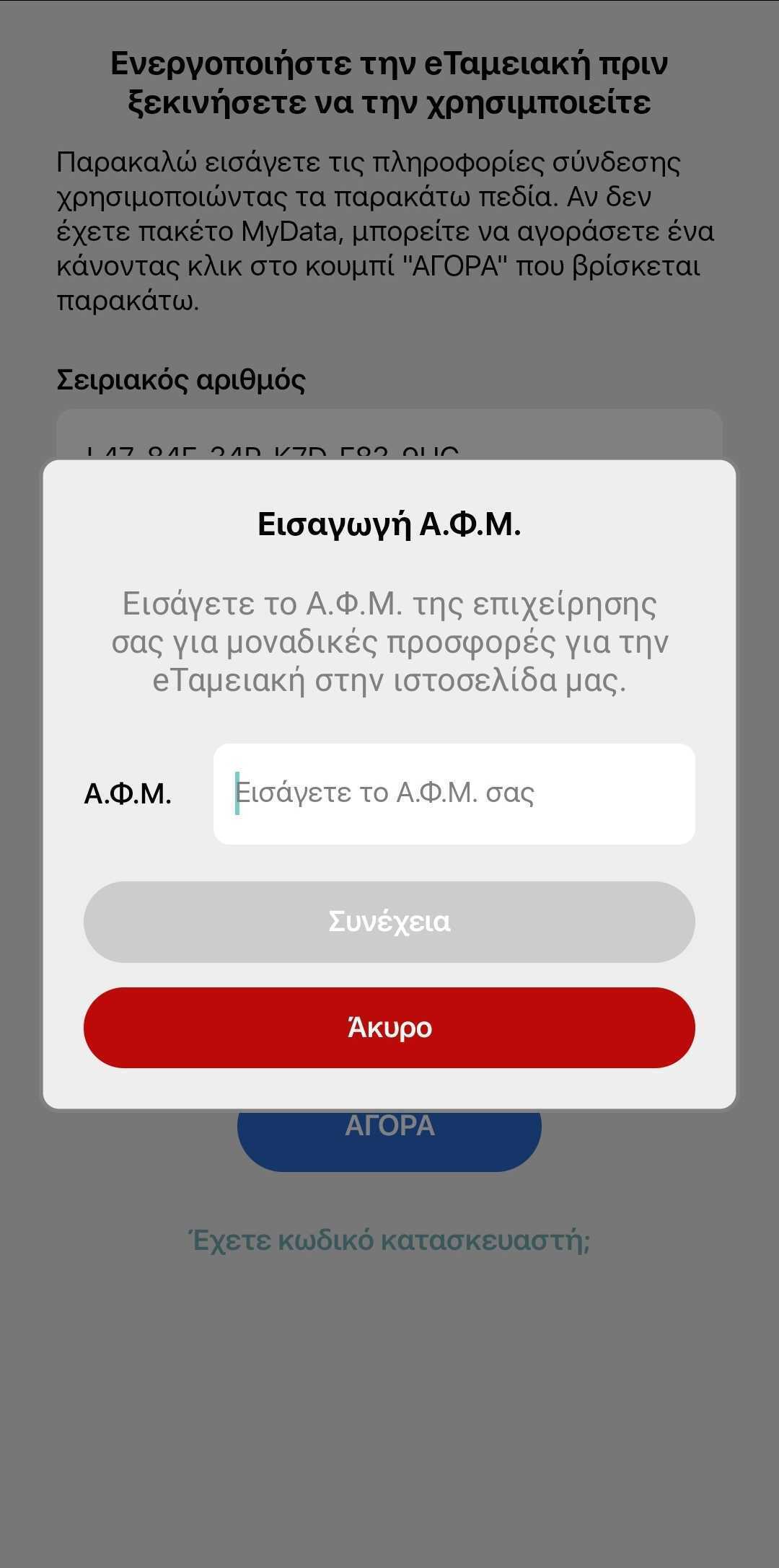
2. Complete the required fields, such as:
- Legal representative name
- Trade name (if applicable)
- Any other requested information
3. Tap Continue.
Step 7: Business Setup
1. Select whether you are a Main Store or a Branch.
2. Tap Activate to complete the process.
Your application is now ready for use! If you need any assistance, please contact customer support.

Frequently Asked Questions
The application is the first certified All-in-One solution by AADE in Greece for upgrading POS terminals into cash registers.
Yes, the e-Cash Register (E-Tameiaki) application completely replaces the need for a traditional cash register, and you can issue retail transaction receipts directly from your POS terminal.
The legislation provides exemption from using a cash register when using MyData through a certified provider. Primer Software is a licensed MyData provider, as shown in the following AADE link:
https://www.aade.gr/adeiodotimena-logismika-parohon-ilektronikis-timologisis
The e-Cash Register supports all payment methods, including:
- Cash
- Card
- Bank account
- Credit
- Prepayment
-
The e-Cash Register can issue invoices.
Alternatively, you can use Primer ERP to issue all types of invoices with or without taxes, fees, and stamp duties.
Additionally, Primer ERP supports:
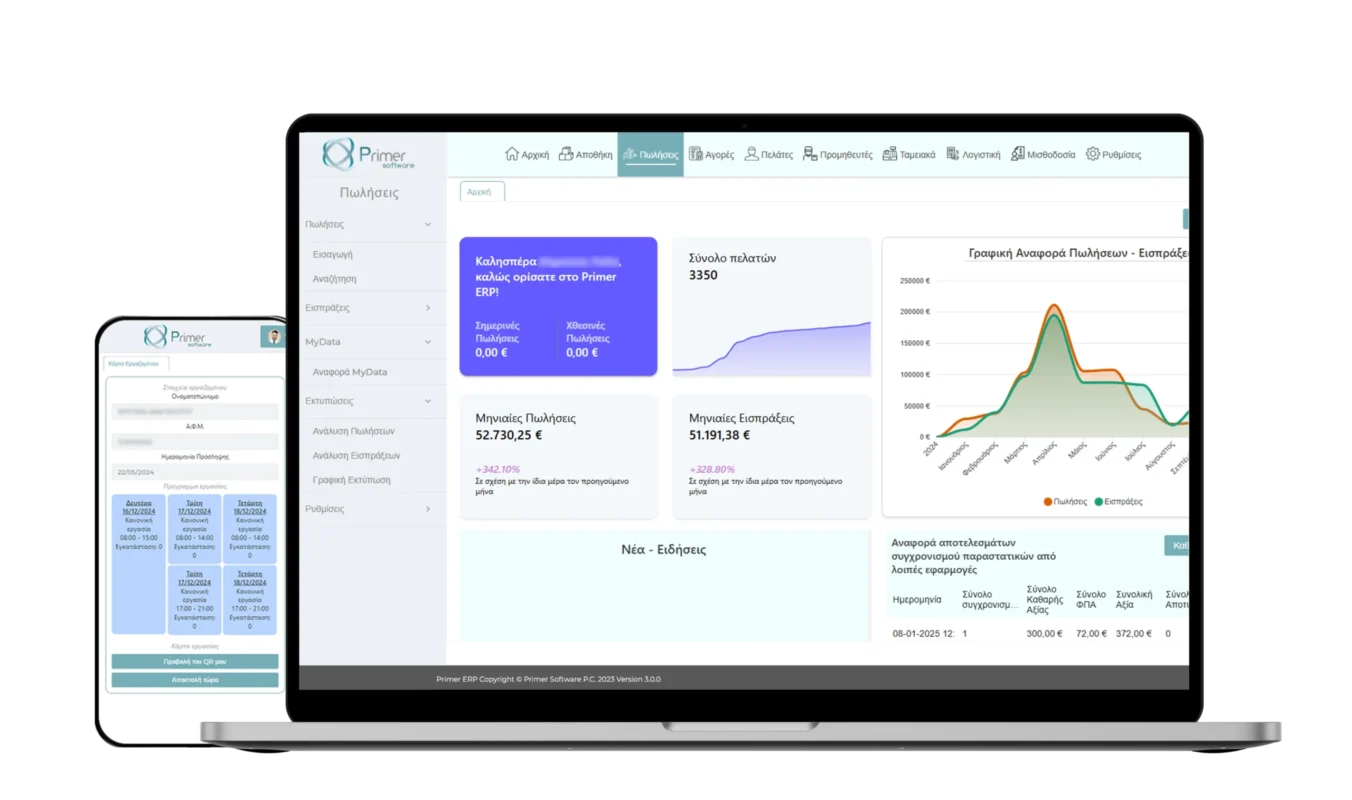
- Automatic and instant (online) updating of receipts from the e-Cash Register.
- Detailed reports for sales, collections, purchases, etc.
- MyData reports with analysis of issued documents and comparison with the corresponding documents available in MyData.
- Work card support.
…and much more. More information can be found by clicking here.
No, you do not need an additional internet connection for the operation of the e-Cash Register.
If you use the compatible Piraeus Bank POS terminal (A920 Pro), receipts are issued using the terminal’s SIM card without any additional cost.
If you use the e-Cash Register on your mobile phone, your existing SIM card is sufficient, provided it has enough mobile data available.
Alternatively, you can optionally use a WiFi network.
Yes, the application can operate without an internet connection for up to 48 consecutive hours.
You can issue your receipts normally, and they are automatically transmitted without any action required from you as soon as the internet connection is restored.
The same applies to areas with low-speed or unstable internet connections. The application operates seamlessly and sends receipts in the background without requiring any user action.
No, the application is automatically installed directly on the terminal.
This provides the reliability and speed of a standalone device that operates independently without requiring a fast internet connection.
You also do not need to worry about service availability, as the application is installed directly on your terminal.
MyData is the minimum obligation required for all Greek businesses since 01/01/2021. It includes the asynchronous transmission of all documents to AADE and does not replace the tax mechanism or the cash register.
MyData through a provider is the modern (online, immediate) transmission of sales documents to AADE.
Its use replaces the tax mechanism and any other equipment beyond a computer or smartphone, while also providing the following tax benefits:
- 3-year limitation period for tax audits.
- 200% accelerated depreciation of all expenses related to MyData (provider, software, and technical equipment).
Receipts are issued through MyData via provider and therefore are transmitted through the corresponding channel (MyData via provider).
There is no need for transmission to eSend.
Since the eTameiaki operates through MyData via provider, there is no need to maintain a cash register book.
On aade.gr, you only need to declare Primer as your electronic invoicing provider and accept the provider agreement through gov.gr.
For both steps, detailed instructions are sent to you by email after completing your purchase.
There is no limit on receipt issuance.
There is a fair usage policy of 10,000 receipts per month (120,000 receipts per year).
If you require more receipts than the fair usage policy allows, please contact us for more information.
Primer Software owns patents for the technologies it develops, and unauthorized copying or exploitation of these technologies is prohibited.
More solutions for your business
Primer Software's mission is to offer quality products to its customers, with software of leading functionality and reliability

eTameiaki
Issue receipts directly from your POS, without a cash register, without ERP and without a fiscal mechanism! Flexibility and customization to the fullest with a MyData provider

Primer ERP
Integrated commercial and accounting monitoring system for your business. Ultimate flexibility and customization with MyData provider

Primer MyData eShop
Automate invoice issuance directly from your eShop, without manual processes and without the need for an ERP system. Maximum flexibility and customization with a MyData provider

Ελληνικά